 UniguapUniguap
Your student submits what they spent, with the receipt. You approve it from your phone. Uniguap keeps the record — what was spent, what you've paid back, and what came out of the 529 — so nobody is reconstructing a year of Venmo history next April.
iPhone · iOS 17 or later · currently in TestFlight beta — or use it in your browser, no install needed.
How it works
The whole loop happens on the phone that's already in your hand — no spreadsheet, no shoebox of receipts, no group chat about who paid for the textbooks.
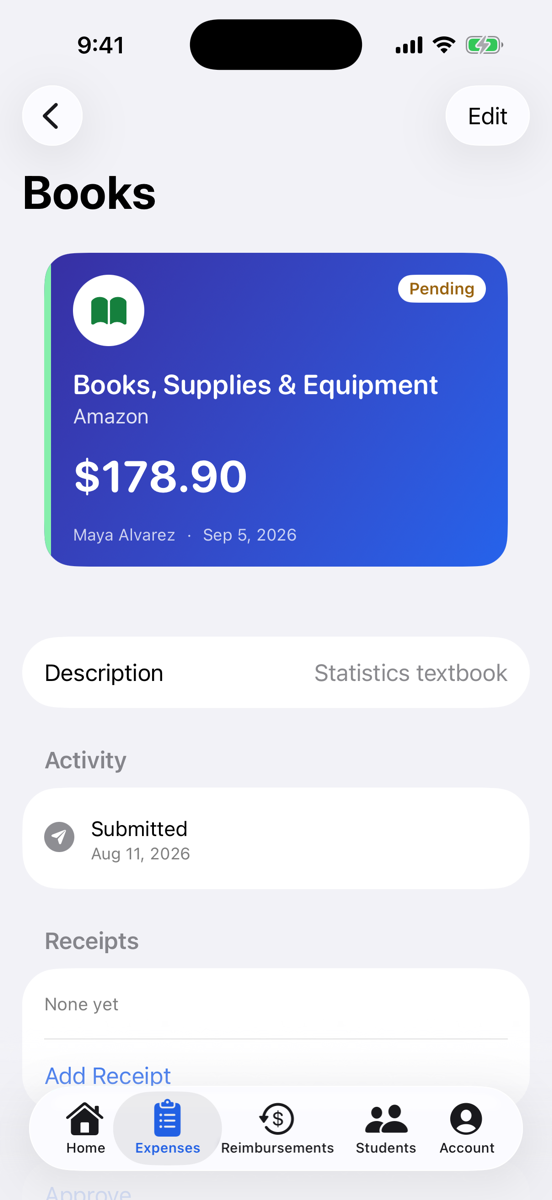
They photograph the receipt and Uniguap reads the merchant, amount and date off it. Or they send it straight from the share sheet in Photos, Mail or Files.
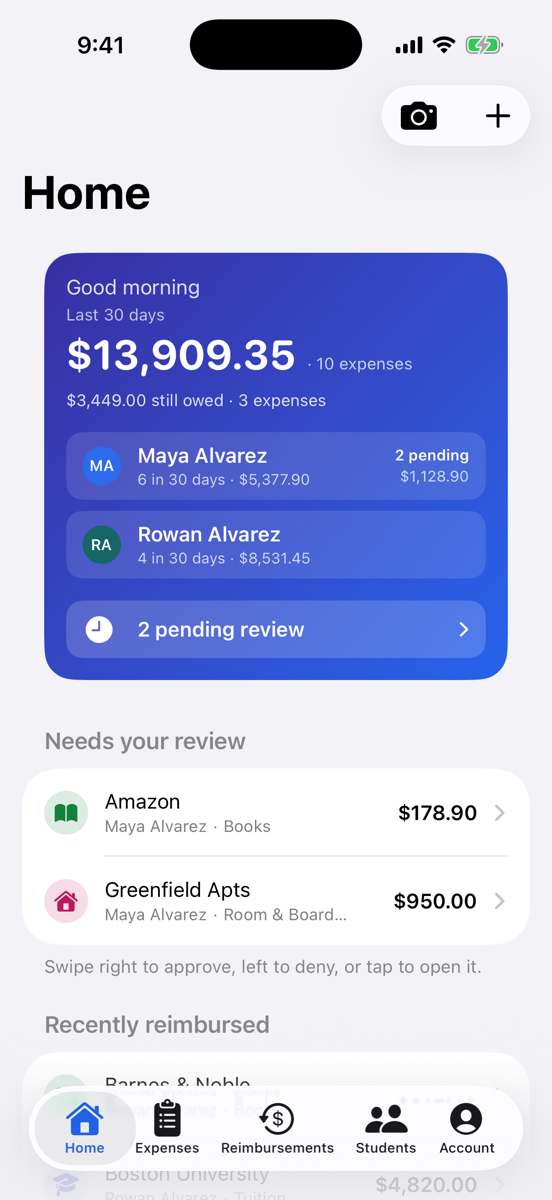
Swipe right to approve, left to deny with a reason. Everything waiting on you sits at the top of the list, and you get a notification when something new arrives.
Venmo, Zelle, cash, check — or a 529 withdrawal, tracked against the plan it came from. Pay several expenses at once and Uniguap settles them together.
At tax time
Every expense is filed against a category that knows whether it's a qualified education expense, and every withdrawal names the plan it came from. When the 1099-Q shows up, you already have the other side of it: what the money was spent on, with receipts attached and dates that line up.
Then print it. A tax-year summary of qualified against non-qualified spending and the withdrawals set beside it, plus the expense register behind that total — line by line, with what came out of the 529 and whether a receipt is on file. Save either as a PDF and send it to whoever files. Works the same from the app or the browser.
Day to day
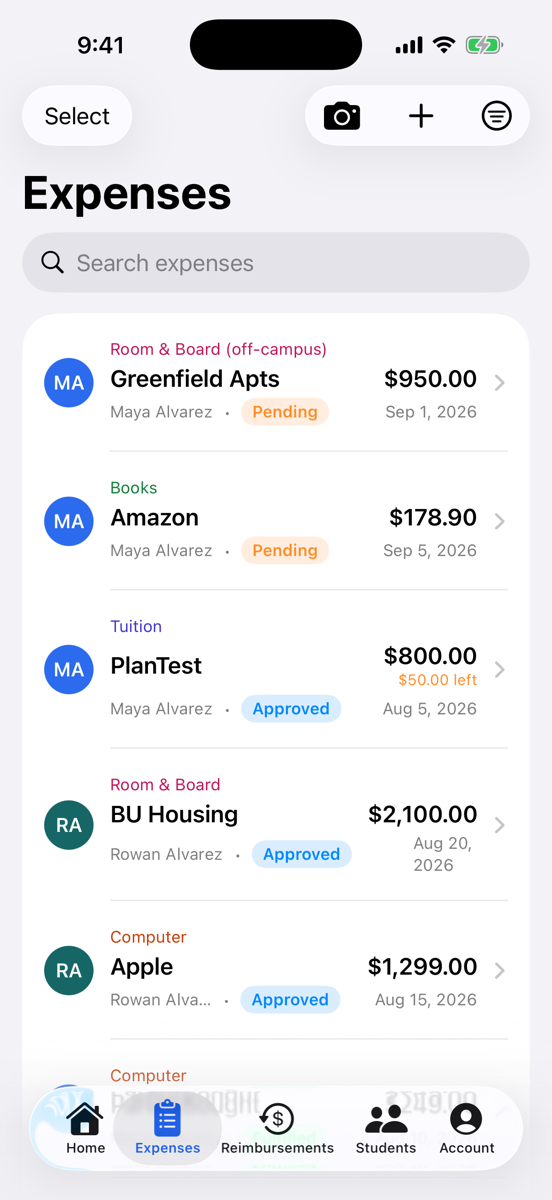
Anything waiting on a decision comes first, then what's approved and still owed. Settled and denied expenses sink — nothing about either is waiting on anyone. Each row leads with the merchant, because "Barnes & Noble" is what you actually recognise.
Also in the app
Point the camera at a receipt and the merchant, total and date come back filled in. PDFs work too.
Each student gets their own totals, their own pending queue, and their own balance owed.
Invite a co-parent to the same family. Students join with a pairing code and see only their own expenses.
Bought the laptop yourself? Log it against your student without pretending you owe them for it.
Attach the Venmo screenshot or the bank confirmation to the reimbursement, not just the expense.
It's financial and tax information. Require Face ID or your passcode every time the app opens.
Where it's up to
It's a working iPhone app that a family is using for a real school year — not a waitlist for something unbuilt. It isn't on the App Store yet.